
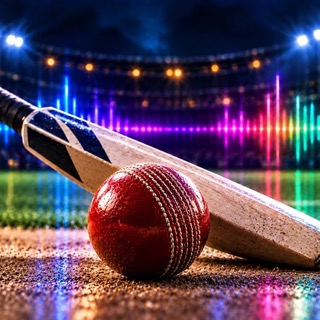
 Cricket
Every wicket. One tap.
Built for T20 and limited-overs, where a four, a six or a wicket wants a short burst of music that hits at its exact start point, one tap and nothing else. Song Ideas shows what other teams play, start points included.
Your GameDay DJ Board, made for cricket
These are the actual buttons, with songs and a sound effect behind each one.
 Sound effectA horn, a hit
→
Sound effectA horn, a hit
→
 The callAnnounced by name
→
The callAnnounced by name
→
 The songAs long as you want it
The board is the app
Fill every button with songs from your library — load whole playlists or one song at a time, then set where each song starts.
Between overs, at the drinks break, the moment a wicket falls. Limit every clip to a few seconds so it lands and gets out of the way.
Each batter can have their own walk-out song, played as they come to the crease.
Four steps, then you’re running matches
Make the team
Name it, pick your colors, and add the roster. Two minutes, and it is the only part you cannot skip.
Bring your music
Import straight from Apple Music, use songs already on the phone, or add free ones. It all lands in one audio library.
Load the board
Stack each button with as many songs as you like and let it cycle through them, so the same play never sounds the same twice.
Run the game
Open Game Day at the ground. Everything you set up is one tap away, without hunting for it.
Cricket walkthroughs
Narrated, recorded on a real phone, and kept current with the app.
The rest are the same on every sport, so they are recorded once — on a baseball team.
Run more than one sport?
Each one is set up, customized and built for that sport — its own board, its own buttons, its own calls. Pick one to see how it works.
 Baseball
 Softball
 Football
 Basketball
 Soccer
 Hockey
 Lacrosse
 Field Hockey
 Volleyball
 Wrestling
 Cheer
Cheer Flag Football
 Rugby
Rugby Golf
Golf